Matching GPU Density to Workload: 4-GPU, 5-GPU and 8-GPU Directions
How AI training, inference, HPC and rendering workloads map onto 4-GPU, 5-GPU and 8-GPU platform directions, and what to check before choosing a density.
By Mark Lee, Technical Sales and Platform Configuration, GPUBAREBONE
If you are choosing between a four-GPU and an eight-GPU platform and the decision keeps getting framed as "how much compute do I need", this reframes it. Density is not a compute quantity. It is a set of physical and electrical commitments made before the workload is ever measured. It is written for integration engineers and platform planners who know their workload family and now have to pick a direction. It is not for cloud GPU rental, desktop workstations, or buyers who have not decided whether they need a GPU server. What you get is a density direction matched to your workload, plus the three constraints that override the GPU count. It will not tell you how fast any configuration runs, because that depends on the workload, the software stack and the GPU generation, none of which a chassis specification can predict.
1. What density actually decides
A GPU count is a mechanical decision wearing a performance costume.
When you commit to eight GPUs instead of four, you are committing to a taller chassis, often a deeper chassis, a different power shelf, a different fan architecture, a different storage topology and a different set of supported motherboards. Those commitments are made in the chassis, and they are expensive to unwind after the bill of materials is agreed.
That is why "how many GPUs do I need" is a hard question to answer usefully, and "which density direction fits my workload and my rack" is answerable in a single review. The second question is the one this article addresses.
2. How the decision actually goes wrong
The failure is rarely one dramatic miscalculation. It is a sequence.
- The person carrying this usually owns integration or platform planning, and is choosing a density direction while the GPU model, the rack and the schedule are already being discussed elsewhere.
- The decision is typically framed as a compute question — how much GPU capacity the workload needs — rather than as a platform question about height, depth, power and airflow.
- What is actually missing is the mapping between the workload family and the physical direction, plus the memory, interconnect and rack-power facts that override the GPU count.
- Without that mapping, the next stage becomes a round of density proposals that cannot be compared, because each one assumes a different rack budget and a different power shelf.
- Each round costs calendar time, and the node build waits on a direction that was never really settled at the platform level.
- The decision available here is to name the workload family, confirm the three overriding constraints, and then compare only the density directions that fit the same rack.
3. Four workload families pull in different directions
The same GPU count can be wrong for two different reasons. What follows is how each family tends to pull, stated as tendencies rather than rules, because the specific model and its memory requirement dominate every case.
Training
Training tends to pull toward fewer nodes with more GPUs per node, because gradient synchronisation across many devices makes interconnect topology matter. A single eight-GPU node with a designed riser topology is a different object from two four-GPU nodes that must talk to each other over a network. That does not make eight better — it means the interconnect decision has already been made implicitly by the density choice, and it is better made explicitly.
Training also tends to pull toward local high-bandwidth storage, because a node that stalls waiting for data leaves expensive accelerators idle. In this product range that shows up as the 7U platform's 2.5" NVMe backplane versus the 4U platform's 3.5" bays — an architectural difference, not a cosmetic one.
Inference
Inference tends to pull toward more nodes with fewer GPUs each, because serving many independent requests benefits from parallelism across instances rather than maximum per-node density. A four-GPU node is often the more natural unit when the workload is many small concurrent requests.
The consequence is that an inference buyer asking for an eight-GPU platform may be buying the wrong shape: more density means fewer failure domains per rack, and a single node failure takes more serving capacity with it. That is a resilience consideration, not a compute one.
HPC and research
HPC tends to pull toward whatever the job scheduler and the interconnect fabric expect. Research clusters are usually planned at the rack or cluster level, so the per-node GPU count is a consequence of the fabric design rather than an independent choice. This is the family where "how many GPUs" is least useful as a question, because the answer comes from the topology.
Rendering and VFX
Rendering tends to pull toward per-node GPU count with a much weaker interconnect requirement than training, since frames are largely independent. It also tends to care about storage throughput for asset streaming rather than local NVMe capacity. This is the family where a five-GPU or four-GPU node with generous fan headroom can fit better than a dense eight-GPU platform, because sustained render jobs run for long periods and the thermal envelope matters more than peak density.
4. The platform directions in this range
The table compares the density directions available in the current range using published specifications. Empty cells mean the value is not published for that model — they are not estimates.
| 4U — OCG4780-4H5-H | 5U — OCG5880-5H4-L | 6U — OCG6860-8G | 7U — GB-8 (OCG7900B-8H8-L) | |
|---|---|---|---|---|
| GPU count | up to 4 | up to 5 | up to 8 | up to 8 |
| PCIe interface | Gen5 x16 riser | PCIe 5.0 x16 | PCIe 5.0 x16 | 8 × Gen5 risers |
| Max GPU length | 355 mm body | not published | 360 mm | 360 mm |
| Dimensions (W × D × H) | 780 × 436 × 177 mm | 483 × 880 × 220 mm | 860 × 435 × 270 mm | 900 × 447 × 308 mm |
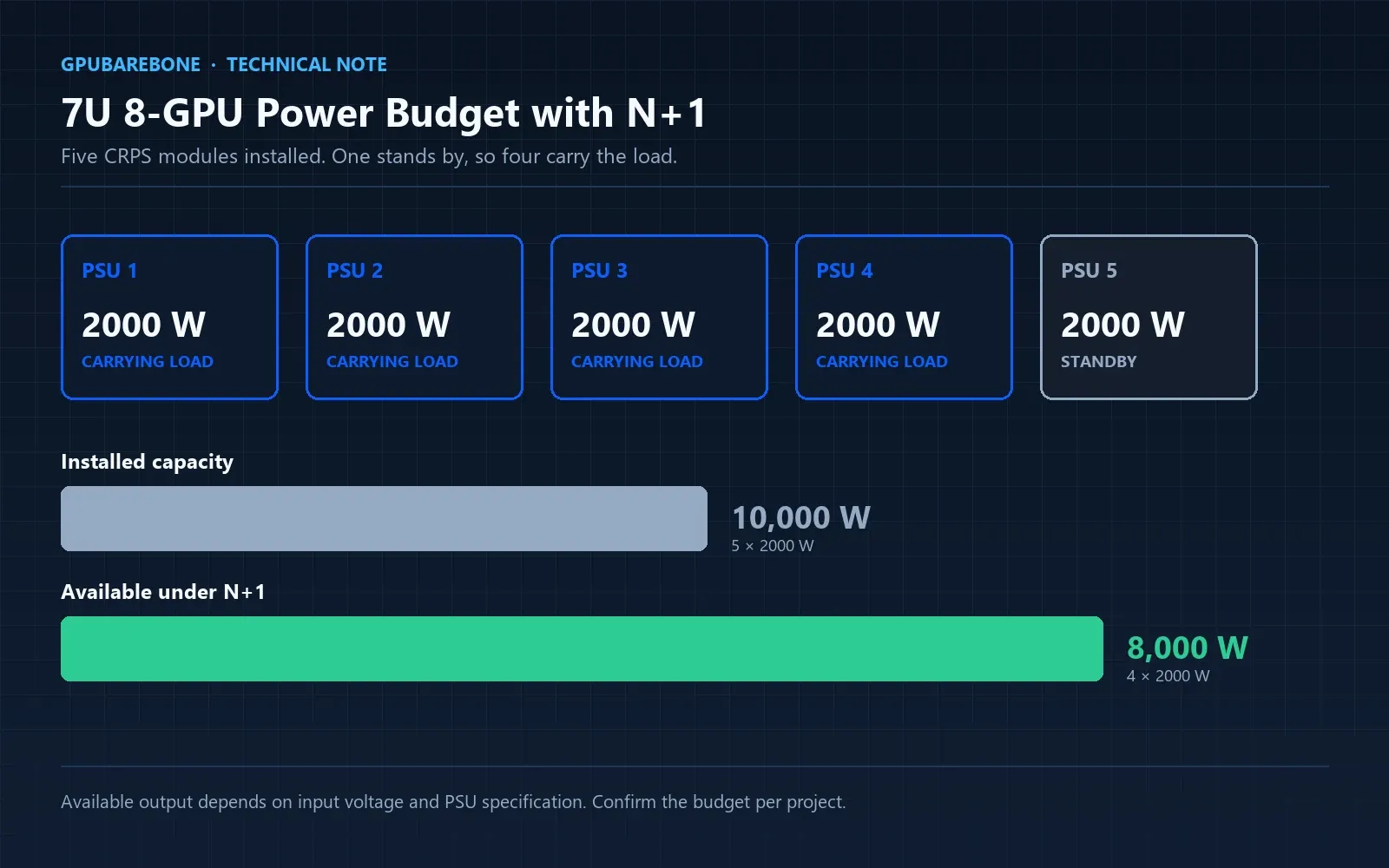
| Power | 2 × 3200 W CRPS, 1+1 | 4 × 1600 W CRPS, 4+1 | 5 × 2000 W CRPS, 4+1 | 5 CRPS, N+N or N+1 |
| Cooling | 3 × 8038 front + 3 × 12038 rear | 6 × 120 mm | 6 × 12 cm mid + 3 × 8 cm rear | 3 × 12038 + 8 × 8056 |
| Drive bays | 5 × 3.5" SATA / U.2 | 4 × 3.5" SATA / SAS 12 Gb/s | 4 × 2.5" SATA / U.2 | 8 × 2.5" NVMe |
| Motherboard | ATX / EATX (EPYC / Xeon) | up to E-ATX 12" × 13" | ASRock ROME2D32GM-2T, GENOA2D24G-2L+ and other ASRock boards | four named board models |
Two observations matter more than the individual cells.
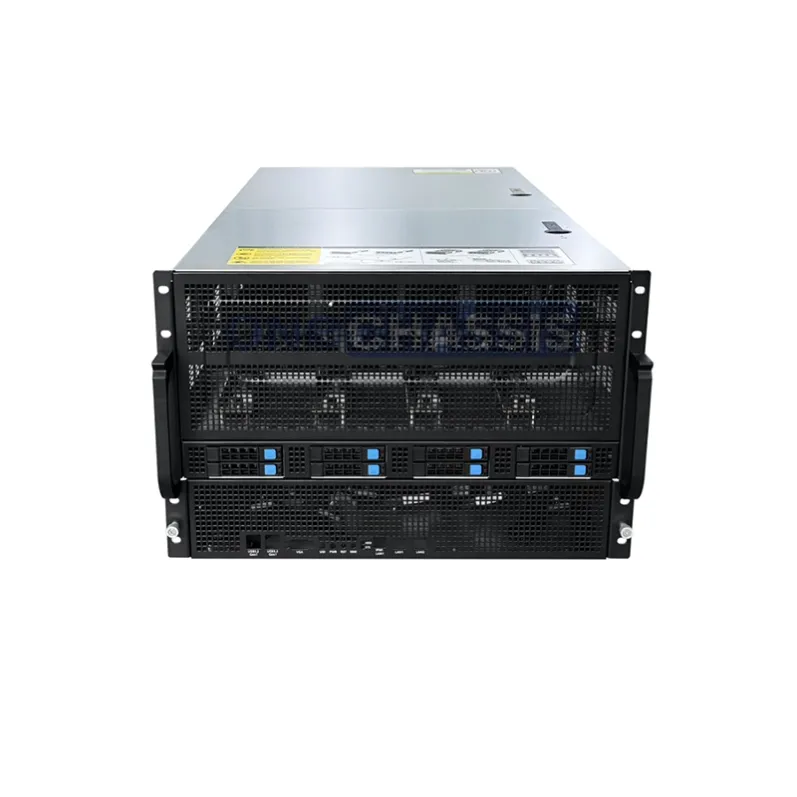
The step from 4U to 7U is mostly not about cards. Both the 4U and the 7U platform are specified for roughly the same maximum card length. What changes is height (177 mm to 308 mm), depth (780 mm to 900 mm), the power shelf, the fan architecture and the storage topology. If you assume "more GPUs means bigger cards", you will misread the comparison — the cards fit in both, and what actually changes is everything else.
The 6U and 7U platforms reach the same GPU count with different architectures. Both carry up to eight GPUs at PCIe 5.0 x16. The 6U uses a mid-mounted 12 cm fan wall plus a rear 8 cm set with a 4+1 2000 W shelf; the 7U uses a 12038 plus 8056 arrangement with five CRPS modules in N+N or N+1. These are two different answers to the same density question, and the difference is the thermal and power philosophy, not the capacity.
5. The three checks that override the GPU count
If any of these three is unfavourable, the GPU count becomes secondary. They are worth settling before the density conversation, because each one can eliminate a direction outright.
Memory per GPU
The number of GPUs is only meaningful relative to the memory each one carries. A workload that needs to hold model state within a single device does not benefit from more GPUs if each one is too small, and a workload that shards cleanly across devices may fit happily on fewer, larger ones. Confirm the per-device memory requirement first; the count follows from it, not the other way round. The vendor datasheet is the source of record for that figure — for example the NVIDIA H100 and RTX PRO 6000 pages publish memory capacity per card alongside the mechanical figures, and those two numbers are what the density decision actually turns on.
Interconnect and topology
Density determines how many devices must communicate inside one chassis. That raises two questions: what the platform's riser topology actually provides, and what your motherboard allocates. A platform specified for PCIe 5.0 x16 risers has the ceiling; the achievable link width still depends on the board, the CPU platform and the slot allocation — for the specification itself, PCI-SIG is the reference rather than any vendor page. This is why the published specification on the 4U platform explicitly notes that actual link width depends on the motherboard, CPU and slot allocation: that is a real dependency, not boilerplate.
Rack power and depth budget
This is the check that most often overrides the density choice, and the one most often done last. Power and depth are rack-level constraints, and they do not negotiate.
Take the sustained power per GPU, multiply by the count you are considering, add CPU package power, drives and fans, and compare the total against the configured capacity with margin. Then check that number against the rack feed you actually have. A dense platform that exceeds the rack's power budget is not a denser platform; it is a platform your rack cannot run.
Depth compounds it. The 7U platform is 900 mm deep and needs a cabinet in roughly the 1.0–1.2 m class. If your cabinets are already installed at a shallower depth, the density decision has been made for you — and it was made by the rack rather than by the workload.
6. What this article cannot tell you
- No performance or throughput claim. Nothing here states how fast any configuration runs, what benchmark it achieves, or how it scales. Those depend on the GPU generation, the workload and the software stack.
- No count recommendation. The four workload tendencies above are decision shapes, not rules. A specific workload can invert any of them.
- No per-GPU power or thermal figures. The power shelves are described; the load calculation is yours.
- No commercial terms. No price, minimum quantity, lead time or availability is stated.
- No demand claim. The density directions and the overriding checks are derived from published platform specifications and from how current search results for this topic are framed. They are not derived from keyword volume data, and no traffic outcome is projected.
Some cells in the comparison table are deliberately blank. Where a model does not publish a value, this article leaves it blank rather than borrowing from a sibling model.
7. Next step
If you have named the workload family and the three overriding constraints look acceptable, the useful next step is a configuration review with those facts in hand — not a purchase decision.
If the basic platform envelope is still open, start from how to choose a GPU server chassis for an AI build, which covers the five constraints that come before density. If you are deciding between a configured platform and sourcing a chassis for your own integration, barebone platform or bare chassis covers that split. If you are already working within the 4U direction, how to specify a 4U GPU server chassis is the field-by-field checklist.
The four platforms in the table are documented individually: 4U 4-GPU barebone, 5U 5-GPU barebone, 6U 8-GPU barebone and GB-8 7U 8-GPU barebone. The full range is on the products page.