
Barebone Platform or Bare Chassis? Choosing the Right Starting Point
The difference between a GPU barebone platform and a bare GPU server chassis, and how to decide which one fits your integration and OEM/ODM project.
By Mark Lee, Technical Sales and Platform Configuration, GPUBAREBONE
Every GPU project starts by deciding what you are actually buying, and the two options are usually described as if they were a size choice. They are not. A bare chassis and a configured barebone put the integration risk in different places, and the right answer depends on what your team can specify, source, test and support. This is for integration leads and platform owners who have fixed the GPU model and rack, and who now must decide how much of the platform they take responsibility for. It is not for buyers who want a finished, warranted system under someone else's brand, and it will not help if the GPU model is still open. What you get is a decision framework with a clear assignment of risk. It does not include a parts list, which varies per configuration.
1. This is a decision about who carries the integration risk
The phrase "we bought a chassis" sounds like a smaller version of "we bought a barebone". In practice they are different products with different scopes, and the gap between them is where projects go wrong.
A bare chassis is a mechanical and electrical enclosure. It defines space, airflow, mounting points and often the power shelf and backplane. What it does not define is the specific combination of risers, cabling, power distribution and board integration that turns those parts into a working platform. Those become your line items, your validation and your warranty surface.
A configured barebone arrives as a matched set: enclosure, fan walls, drive backplane, power supplies, power distribution, GPU power cables and risers specified together. The integration decisions inside the enclosure have been made by the platform supplier, and the risk that they do not fit each other moves to that supplier.
Neither is better. What matters is that the choice is made deliberately, because it determines what your team must own.
2. How the choice usually goes wrong
The failure here is almost never a mechanical error. It is an unstated assumption about scope.
- The person carrying this is usually the integration lead or platform owner, and is deciding supply scope while the GPU model and rack plan are already fixed.
- The choice is typically made on price or availability rather than on who will own riser selection, power distribution, cable sets and validation.
- What is actually missing is an explicit statement of what the supply includes and what it excludes, in writing, before the configuration review.
- Without that statement, the next stage becomes a discovery process at assembly: parts assumed included are absent, or parts assumed separate arrive twice.
- Each discovery round costs calendar time, and the build schedule waits on procurement that was never scoped in the first place.
- The decision available here is to write the include/exclude split down and assign each open item to a named party before the configuration review.
3. The split that has to be written down
The reason this matters is that the include/exclude line is not obvious, and it is not the same across platforms.
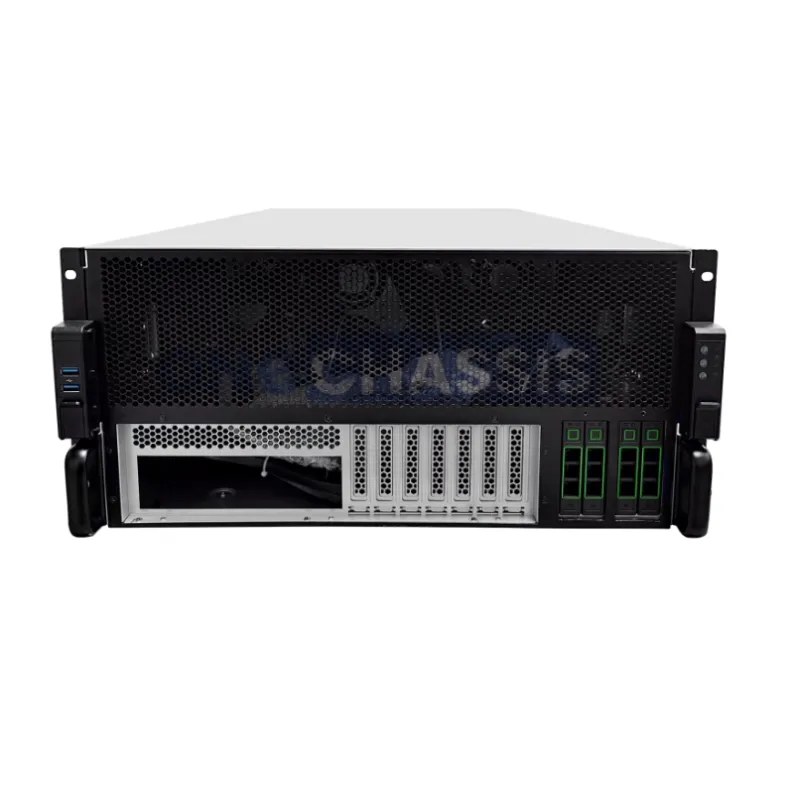
Take a published 4U configured barebone in this range. The included list is explicit: chassis, front and rear fan walls, drive backplane, two CRPS power supplies, power distribution board, GPU power cables and PCIe risers. The not-included list is equally explicit: motherboard, GPUs, CPU, memory, storage drives and operating system.
That split is worth reading twice, because it answers questions that a spec table alone does not:
- Risers are included in a configured barebone. If your team has already qualified risers in its own supply chain, you may be paying for them twice.
- The motherboard is not included. A platform specified around named boards tells you which boards were designed for it; it does not mean a board ships with it.
- Power cables are a line item. GPU power cabling is not interchangeable across card generations, and it is one of the most common last-minute gaps.
For a chassis-only supply, most of that list moves to your side. The enclosure still defines the space and the airflow, but the riser direction, the power distribution and the cable set become decisions your team makes and validates.
If you want the general answer to "what actually comes in a barebone", the more detailed breakdown is worth reading separately — this article deliberately does not restate it, because the honest version differs per platform and per configuration.
4. When a chassis-only supply is the right answer
Chassis-only tends to fit when the integration capability already exists in-house.
You have qualified parts already. If your supply chain already carries risers, backplanes, power shelves and cable sets that you have validated, a bare chassis lets you keep that standard instead of accepting someone else's.
You want one mechanical part number. Some integrators deliberately keep the chassis as a single mechanical SKU and treat everything else as electronics. That makes revision control and spares planning simpler, because the mechanical design changes on a different cadence from the electronics.
You are building a repeatable configurator. If you are assembling many variants from a common core, controlling the electronics yourself can be more flexible than accepting a fixed platform definition.
You have a specific riser or topology requirement. Topology is where platforms differ most. If your board's lane allocation demands a riser arrangement the platform supplier has not built, owning that layer is the cleaner path.
The cost of this choice is real: you own the fit validation between all those parts, and a mismatch between a riser and a board's expected slot mapping will not surface until assembly.
5. When a configured barebone is the right answer
Configured barebone tends to fit when you would rather receive one tested unit than a box of parts.
You are assembling a small number of nodes. The overhead of specifying and validating each internal subsystem is hard to justify for a handful of machines. The platform's own integration work is spread across its design, not your project.
You have no internal mechanical or thermal engineering. If nobody on your team wants to own fan curves, air ducts and airflow direction, a configured platform absorbs that.
You need the enclosure and the electronics to be one warranty surface. A matched set gives you one party to call when something does not fit, instead of two parties pointing at each other.
You want a repeatable reference configuration. If the node design will be reused as a standard unit, starting from a documented configured platform gives you a baseline that can be reordered.
The cost here is also real: you accept the platform's topology and its include/exclude definition, and changes to that definition are a new configuration rather than a line-item swap.
6. The four questions that decide it
Rather than a rule, use these four questions. If you cannot answer all four, the supply scope is not yet a decision.
- Who validates the riser-to-board fit? Name the party. If the answer is "whoever", the scope is undefined.
- Who supplies and stocks the GPU power cables? These change with card generation and are a frequent gap.
- Whose warranty covers a part that does not fit another part? This is the question that most often reveals an unstated assumption.
- Will this configuration be repeated? One-off versus repeatable changes which overhead is worth absorbing.
A useful discipline: write the answers into the configuration request itself. That single document then does double duty as the scope definition and as the record of who agreed to what. It also makes any later conversation about a missing part a factual one rather than a memory test.
7. What this article cannot confirm
- No parts list for your configuration. The include/exclude split differs per platform and per project. Read it from the specification for the specific model you are considering.
- No commercial terms. No price, minimum quantity, lead time or availability is stated, and none should be inferred from the supply mode.
- No quality or reliability claim. Nothing here states that one supply mode produces a more reliable system. Reliability depends on the specific parts and the specific validation, not on the supply mode.
- No demand claim. The framework is derived from how platforms in this range document their scope, and from how current search results for this topic are framed. It is not derived from keyword volume data.
8. Next step
Decide the supply mode, write down the include/exclude split, and name a party for each of the four questions. That is the preparation that makes a configuration review productive.
If the platform envelope is still open, how to choose a GPU server chassis for an AI build covers the five constraints that come before this choice. If you are weighing four-GPU against eight-GPU, matching GPU density to workload covers the density decision. If you have settled on the 4U direction, how to specify a 4U GPU server chassis walks the specification field by field.
The 4U, 5U, 6U and GB-8 7U platform pages each publish their own included and not-included lines. The OEM/ODM page covers customization scope when the enclosure itself needs to change, and the about page explains how chassis-only and configured supply differ at the company level.