How to Choose a GPU Server Chassis for AI Builds
Five constraints decide a GPU server chassis before integration: card envelope, rack depth, supply scope, power and cooling, and who confirms fit.

By Mark Lee, Technical Sales and Platform Configuration, GPUBAREBONE
If you are a hardware or integration engineer at an overseas system integrator, and the GPU model, the GPU count and the rack plan are already fixed while the chassis and the supply scope are still open, this guide is for you. It sets out the five constraints that decide the platform before configuration review begins. It is not for consumer desktop builds, single-GPU workstations, mining rigs, or cloud GPU rentals, and it assumes the GPU model itself is settled. What you get is a five-item constraint sheet you can carry into that review. The values quoted here come from published specifications for three current rackmount formats; they describe the platform, not your build. Whether a specific card, board and workload combination works is confirmed per project, against your configuration.
1. The five constraints that decide the platform
A GPU chassis is not a box with fan mounts. It is a set of clearances and boundaries, and each one is a commitment that is expensive to reverse after the bill of materials is agreed. The five below are ordered deliberately: each one narrows the choices available to the next.
GPU envelope
Start with the card you will actually install, not with the card family. Three numbers matter and they are usually quoted differently from how you need them.
Card length is normally published as a body length. A 4U platform in this range, for example, is specified for 355 mm card body length with an explicit note to add clearance for 12V power connectors and cable routing. That note is the difference between a card that fits and a card that touches the front fan wall once the connector is seated.
Card height is the second number. A 4U chassis in this range specifies 178 mm. Height interacts with the top cover and the air path, so a card that clears the lid but blocks a fan zone is not actually a fit.
Slot width is the third. A platform specified for triple-slot or 4-slot cards is telling you how much lateral space each position occupies. Four slots per card changes the tray spacing entirely compared with two.
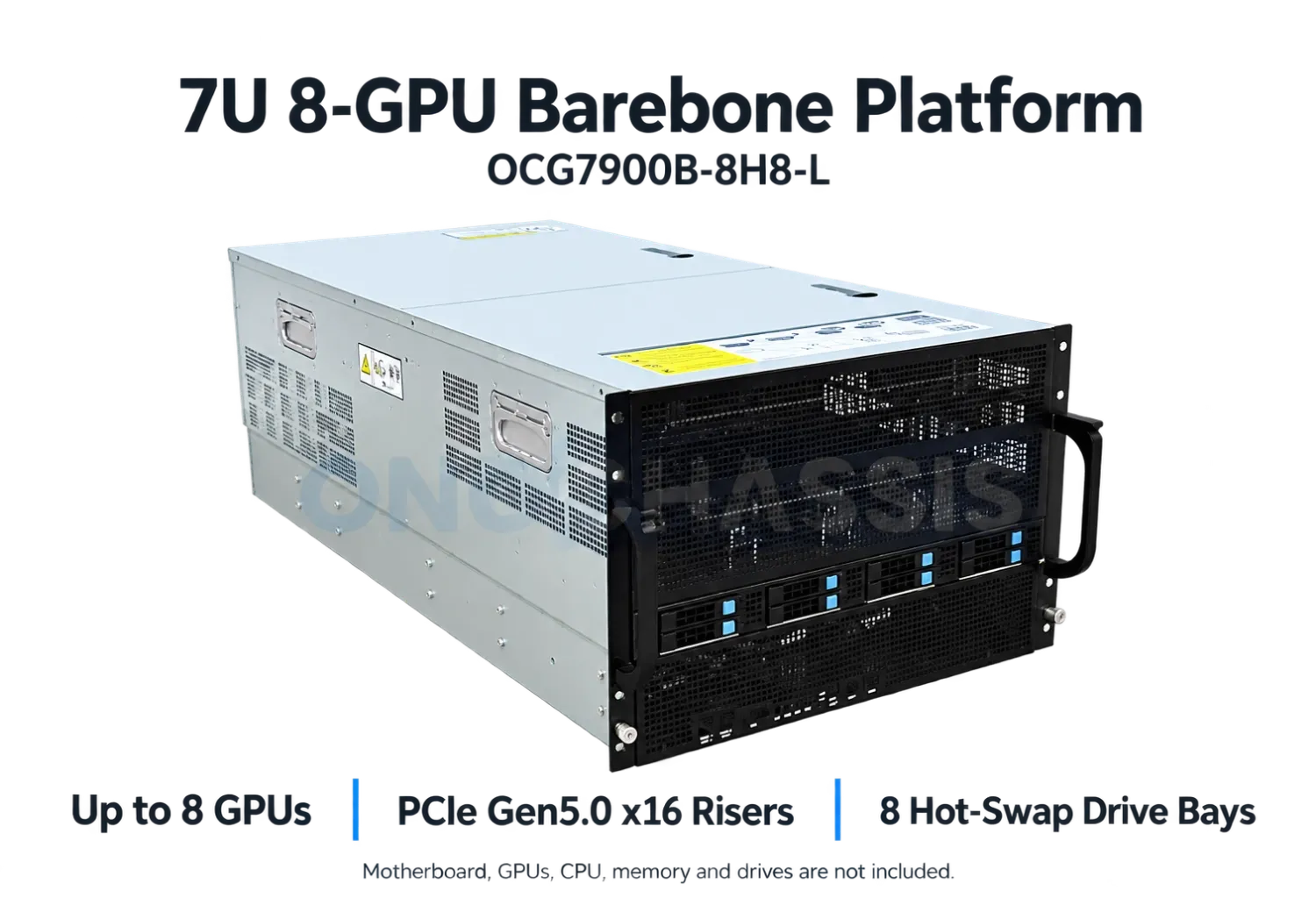
A 7U platform in the same range states its GPU spacing differently again — 8 × 92 mm or 10 × 85 mm — because in a high-density layout the governing question is not just card size but how many positions the airflow design can support. Read each specification in the terms its designer used, and convert your card into those terms before comparing.
Rack budget
The rack is the constraint that gets discovered last and costs the most to fix, because by then the cabinet is usually installed.
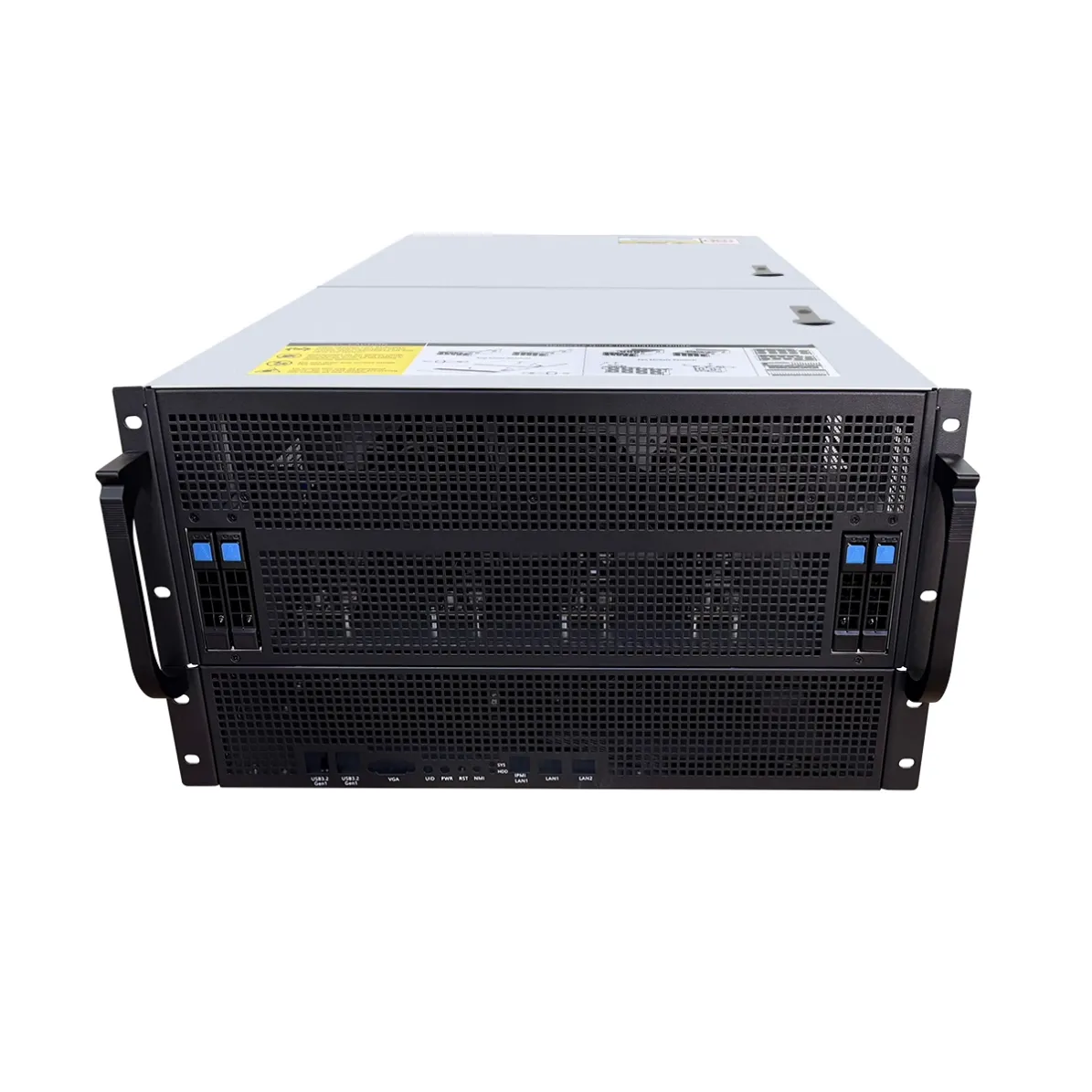
Two numbers matter: the chassis unit height and the chassis depth. In this range, a 4U platform is 177 mm high and 780 mm deep, a 5U platform is 220 mm high and 880 mm deep, and a 7U platform is 308 mm high and 900 mm deep. The step from 4U to 7U is therefore not only about GPU count — it is 123 mm more height and 120 mm more depth.
Depth is measured against the cabinet's usable depth between mounting rails, not the cabinet's external dimension. A platform approaching 900 mm needs a cabinet that can accommodate it with room behind the rear rail for cabling, and the rail kit has to span the actual gap. If your cabinet is already fixed, work backwards from it before choosing a format.
Supply scope
This is the constraint most often left implicit, and it is where a chassis project and a barebone project stop being the same project.
A chassis and a configured barebone are different products. In a configured 4U barebone in this range, the included list is explicit: chassis, front and rear fan walls, drive backplane, two 3200 W CRPS power supplies, power distribution board, GPU power cables and PCIe risers. The not-included list is equally explicit: motherboard, GPUs, CPU, memory, storage drives and operating system.
That split determines what your own integration team must source, test and warrant. If you assume risers are included and they are not, the gap surfaces at assembly. If you assume they are not and they are, you have bought them twice. Either way, the answer is the same: write down which list applies to your project before the configuration review, not during it.
Power and cooling as one system
Redundancy and capacity are different questions, and the heat is the link between them.
The topology tells you how many modules run and how many are spare: 2 × 3200 W in 1+1 on the 4U platform, 4 × 1600 W in 4+1 on the 5U, and five CRPS modules with N+N or N+1 on the 7U. Those are three different engineering positions, not three points on a scale.
The capacity question is the sustained load, and the honest way to answer it is per GPU: sustained GPU power times population, plus CPU package power, plus drives and fans, compared against the configured capacity with margin for transients. That same number becomes heat inside the same enclosure, and the cooling design has to remove it. A 4U platform with three front 8038 fans and three rear 12038 fans under BMC control, a 5U with six 120 mm fans split between chassis and GPU reinforcement, and a 7U with three 12038 plus eight 8056 fans are three different thermal architectures. Treating power and cooling as separate line items is how a build ends up powering hardware the airflow cannot keep cool.
The compatibility boundary
The fifth constraint is not a number. It is the question of who confirms the combination, and on what evidence.
Published specifications describe the platform's limits. They cannot confirm that your card, at your ambient temperature, under your workload, with your motherboard's lane allocation, will behave. This is why a configuration review exists as a separate step: the fit is confirmed against the actual configuration rather than inferred from a table.
Deciding this boundary early prevents the most common late surprise — discovering that a lane allocation or riser direction you assumed is not what your board provides. On platforms where the board is named explicitly, that list is itself useful evidence of how thoroughly the design was integrated.
2. What stays broken when these stay open
The reason this checklist exists is that the failure is rarely one dramatic error. It is a sequence.
- The person carrying this decision is usually a hardware or integration engineer at an overseas system integrator, sometimes alongside a technical procurement lead.
- By the time the platform is being chosen, the GPU model, the GPU count and the rack plan are normally already fixed, and only the chassis and its supply scope remain open.
- What is missing is not general advice about build quality but the exact motherboard and GPU model numbers, without which the published per-format limits cannot be turned into a fit decision.
- Without that link written down, the next stage becomes repeated configuration-review rounds and requirement clarifications before a bill of materials can be agreed.
- Each round consumes calendar time, and the node's build schedule then waits on a platform direction that has not been settled.
- The decision available here is narrower than "pick a chassis": it is to settle the five constraints on this page, in writing, before entering configuration review.
3. 4U, 5U and 7U: what actually changes
The table compares three published formats from the current range. Treat empty cells as genuinely unpublished — they are not estimates.
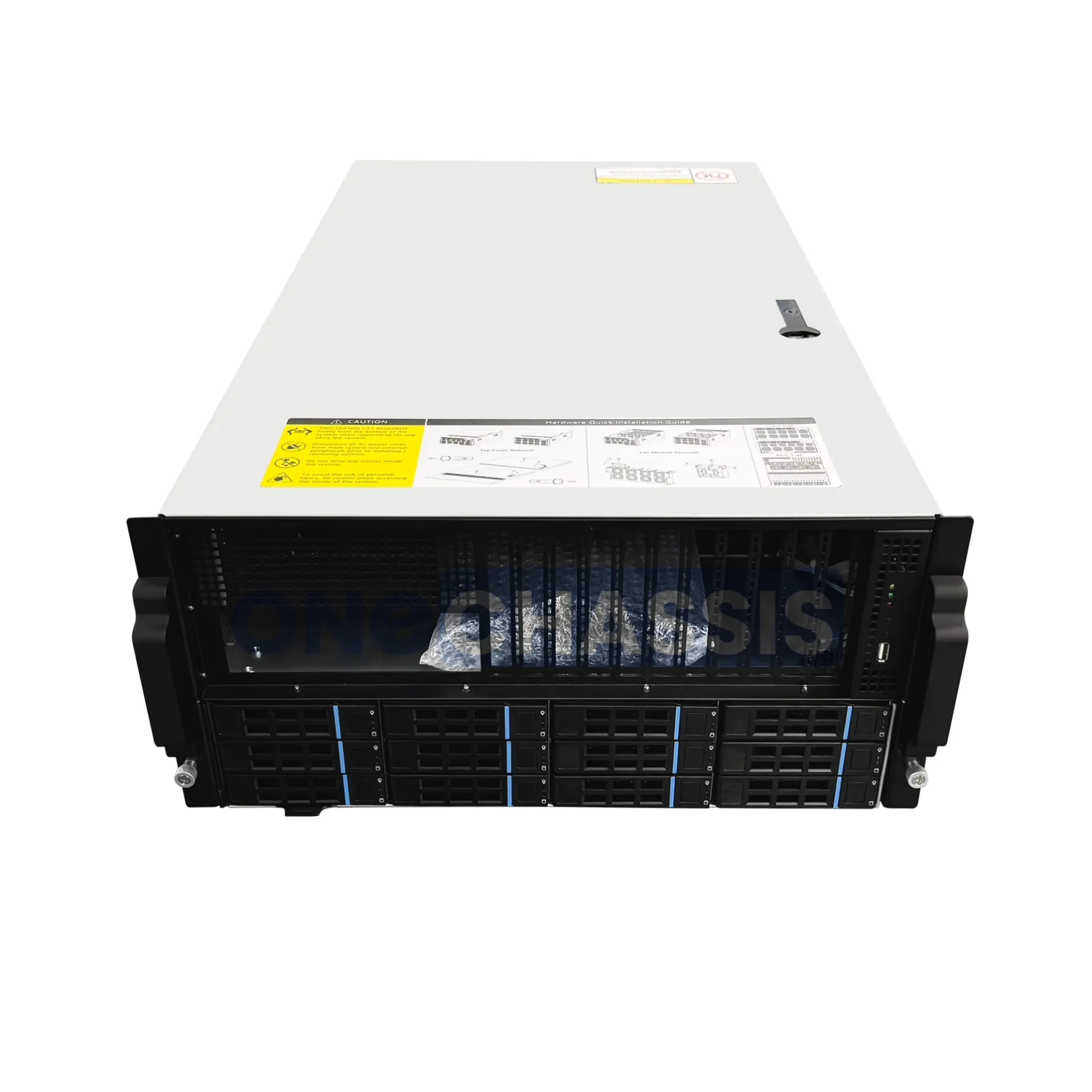
| 4U — OCG4780-4H5-H | 5U — OCG5880-5H4-L | 7U — GB-8 (OCG7900B-8H8-L) | |
|---|---|---|---|
| GPU count | up to 4 | up to 5 | up to 8 |
| PCIe interface | Gen5 x16 riser | PCIe 5.0 x16 | 8 × Gen5 GPU risers |
| Max GPU length | 355 mm body, plus connector clearance | not published | 360 mm |
| GPU height | 178 mm | not published | not published; max cooler height 100 mm |
| Slot width | triple-slot or 4-slot | not published | 8 × 92 mm or 10 × 85 mm spacing |
| Dimensions (W × D × H) | 780 × 436 × 177 mm | 483 × 880 × 220 mm | 900 × 447 × 308 mm |
| Power | 2 × 3200 W CRPS, 1+1 | 4 × 1600 W CRPS, 4+1 | 5 CRPS, N+N or N+1 |
| Cooling | 3 × 8038 front + 3 × 12038 rear, BMC | 6 × 120 mm (3 chassis + 3 GPU) | 3 × 12038 + 8 × 8056 |
| Drive bays | 5 × 3.5" hot-swap, SATA / U.2 | 4 × 3.5" hot-swap, SATA / SAS 12 Gb/s | 8 × 2.5" hot-swap, NVMe backplane |
| Motherboard | ATX / EATX (EPYC / Xeon) | up to E-ATX 12" × 13" | four named board models |
| Gross weight | 23.1 kg | not published | not published |
Two things stand out when the columns are read together.
First, the GPU count is the least interesting difference. The 4U and 7U platforms are both stated for roughly the same maximum card length — 355 mm and 360 mm — so if your cards are long, 4U is not automatically a compromise on length. What changes is the count, the cooling architecture and the drive topology.
Second, the storage design distinguishes the formats more sharply than the GPU count does. The 4U carries 3.5" bays suitable for capacity-oriented storage, the 5U carries SAS/SATA 3.5" bays, and the 7U is built around a 2.5" NVMe backplane. If your workload is GPU compute with a modest local dataset, that distinction is close to irrelevant. If your workload streams training data from local NVMe, it is decisive.
Third, PCIe generation is not a differentiator across this range. All three formats are specified for PCIe 5.0 x16, so a fifth-generation interface is the baseline rather than the upgrade. That shifts the comparison back to where it belongs: how many cards the platform carries, how the airflow is organised around them, and what storage topology the enclosure is built for. One caveat is worth carrying into the review: on the 4U platform the specification notes that actual link width depends on the motherboard, CPU and slot allocation, so the interface ceiling is the platform's, not automatically your build's.
Where a value is unpublished for a format, ask rather than interpolate. A specification that stops short is telling you the configuration is confirmed per project — which, for a barebone platform, is the normal arrangement.
4. Chassis only, or a configured barebone
This is the decision that most changes your own workload, and it is usually made by accident.
Both supply modes exist for good reasons. A chassis-only supply suits an integrator who already has qualified fan walls, backplanes, risers and power shelves in their own supply chain, or who wants a single mechanical part number and full control of the electronics. A configured barebone suits a team that would rather receive one platform with the mechanical, power and riser work already assembled and tested as a unit.
The practical difference is where the integration risk sits. On a barebone, the riser direction, PSU wiring, power distribution and backplane topology arrive as a matched set. On a chassis-only supply, those become separate line items your team must specify, procure and validate — and a mismatch between a riser and a board's expected slot mapping is exactly the kind of problem that does not appear until assembly.
Neither mode is better in the abstract. What matters is that you choose one deliberately and write it down, because the included and not-included lists differ between them, and the bill of materials follows from that choice. For projects where front-panel layout, cut-outs, brackets or branding also need to change, the customization scope is a third variable that should be settled at the same time rather than after the mechanical design is fixed.
5. The one question that decides everything: which board and which card
If you take one thing from this article, take this. The exact motherboard model and the exact GPU model decide the chassis, not the other way round.
In project scoping, an inquiry often arrives naming a GPU class ("we need an 8-GPU box") or a board family ("EPYC, ATX") rather than the specific model numbers. That is not a customer being vague for the sake of it. It is genuinely how a project starts, because the platform gets scoped before the bill of materials is frozen. The problem is that a chassis cannot be matched on a class. It has to be matched on exact mechanical and electrical facts, which is why this is the first thing worth pinning down.
Why the model number matters more than the family
Motherboards are not interchangeable within a format. On the 7U platform, the supported boards are named individually rather than described as a socket. That is a deliberate signal: the tray, the connector positions, the riser routing and the cooling layout were designed around those specific boards. An ATX board from a different vendor can share the form factor and still miss a standoff, a connector cut-out, or the expected riser mount. "ATX / EATX, EPYC or Xeon" on the 4U platform is a wider claim — it says the format is supported and asks you to confirm the model, which is a different level of certainty from a named list.
GPUs are not interchangeable within a capacity. Two cards that both count as "one GPU" can differ in length by tens of millimetres, in height by a full slot, and in where the 12V connectors sit. A published maximum such as 355 mm is the card body; the connector and cable bend radius sit outside that number. A card rated at 450 W and a card rated at 700 W also draw different power through different connectors, which changes both the PSU configuration and the heat the fan walls must move.
The board and the card interact. The board determines lane allocation and riser direction; the card determines how many lanes it needs and how much of the enclosure it occupies. A board that provides eight physical slots may allocate them differently from what the card population assumes. This is why the platform's PCIe ceiling is not automatically your build's achievable link width.
What to send instead of a class
Three exact identifiers turn a general inquiry into a checkable one:
- Motherboard vendor and exact model number, including any revision suffix. If the board is not yet chosen, say so explicitly — that is a different conversation, and it is worth having before the chassis.
- GPU vendor and exact model, plus the vendor's published board length, height and slot width for that SKU. Where a vendor publishes a datasheet, use it rather than a reseller listing.
- Whether the cards are blower or axial, and the connector type. This is not in most capacity tables, and it changes the airflow assumption.
For the interface itself, the authoritative reference is the PCI-SIG specification rather than any vendor page, and it is worth knowing what your board and card each claim to support before the review. For the card side, the vendor's own datasheet is the source of record — for example the NVIDIA H100 and RTX PRO 6000 pages publish the mechanical and power figures you actually need to compare. For the interface generation, PCI-SIG's specification index is the reference, not a marketing page.
What this replaces
A statement that final GPU, motherboard, PCIe, power, cooling, storage, dimensions and accessory compatibility is confirmed per project is not a hedge. It is an accurate description of where the supplier's responsibility begins and where your configuration data is required. The faster those two model numbers arrive, the shorter that confirmation is.
6. What this article cannot confirm
Being explicit about the limits is part of using the checklist properly.
- No fit is guaranteed. The values cited are published platform specifications. Whether your specific card, at your installed dimensions, fits your specific board in a specific configuration is confirmed per project.
- No performance claim is made. Nothing here states throughput, benchmarks, thermal headroom under a particular workload, or power efficiency for any configuration.
- No commercial terms are stated. This article does not include price, minimum quantity, lead time or availability.
- Some cells are deliberately blank. Where a format does not publish a number, this article leaves it blank rather than borrowing a value from a different model.
- No demand or ranking claim. The constraint set is derived from published specifications and from what current search results for this topic cover. It is not derived from keyword volume data, and no traffic outcome is projected.
7. Next step
If the five constraints are now clear, the useful next move is a configuration review rather than a purchase decision.
Bring the installed GPU dimensions including power-connector clearance, the GPU count and slot width, the rack unit height and usable depth, the supply scope you want, and the sustained power budget. With those, the platform direction can be checked against a specific configuration instead of described in general terms.
To see how these values are published per format, the 4U 4-GPU barebone platform, the 5U 5-GPU barebone platform and the GB-8 7U 8-GPU barebone platform each list their own specifications in this format. The full range is on the products page. If your requirements call for changes to the enclosure rather than a standard platform, the OEM/ODM page describes the customization scope, and the about page explains how chassis-only and configured supply differ. When you are ready to have a configuration checked, contact the team with the five constraints above.